
Raythink RS600 Fusion Guide: Thermal Camera Advantage
Mastering Dual-Spectrum Fusion on the Raythink RS600: Faster Fault Detection with Thermal-Visible Alignment
If you’re comparing high-end thermal cameras for fast, accurate inspections, the Raythink RS600 stands out for its dual-spectrum fusion (thermal + visible overlay). This guide explains what fusion overlay is, how to use it on the RS600, and why it shortens time-to-diagnosis without sacrificing measurement accuracy—plus links to buy and learn more on naxsg.com.
Fusion overlay, explained — and why it often beats thermal-only
First, it adds visible edges to the heat map; After that, it snaps the visible contours to the thermal readings; therefore, you identify the exact component quickly and avoid missteps.
Dual-spectrum fusion places visual-camera edges and context right on top of the radiometric thermal image. You see the hot spot and exactly what is hot (bolt, breaker number, belt, bearing, etc.), speeding up fault pinpointing, reporting, and re-inspection. Put simply, it works like FLIR MSX—stamp visible details over the heat map while, simultaneously, preserving every temperature reading.
RS600 at a glance (key specs that matter for fusion work)
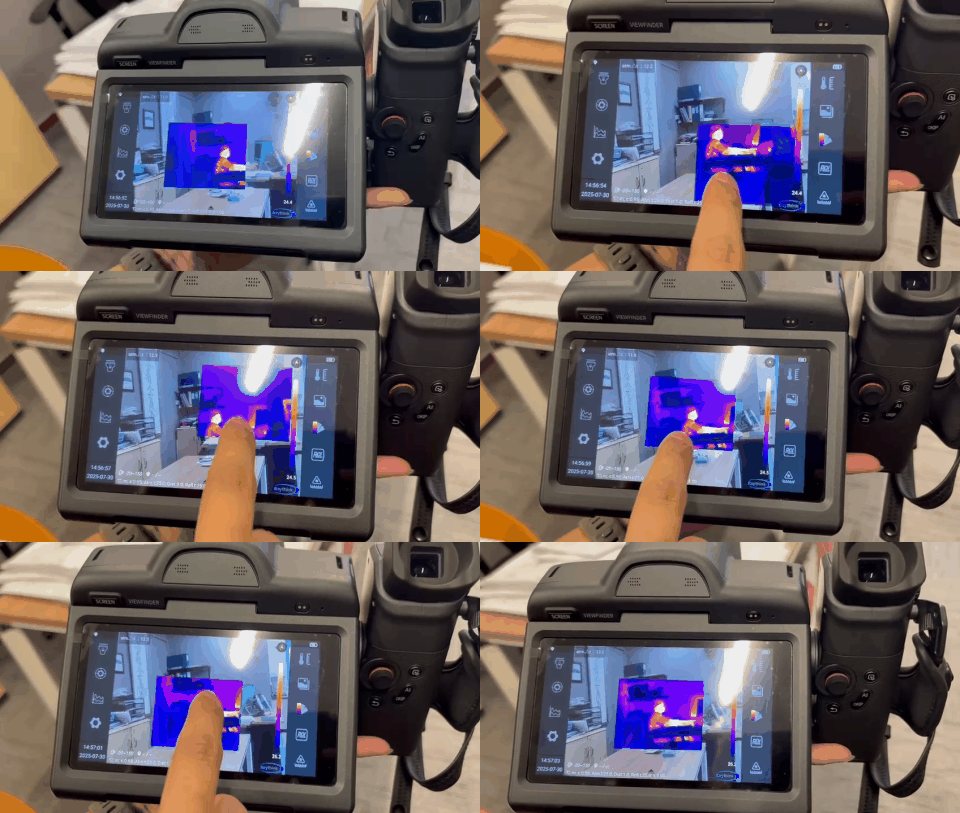
Sensor & sensitivity: 640×512, 12 µm VOx detector, ≤25 mK NETD—reveals small deltas that fusion edges can highlight clearly.
-
Display & OS: 5.5″ 1920×1080 touchscreen, Android OS for smooth UI, trending, and app-driven workflows.
-
Dual-spectrum modes: Infrared, visible, Picture-in-Picture, and dual-spectrum fusion; 13 MP visible camera for crisp edge detail.
-
Analysis tools: Up to 25 points/lines/areas, image freeze, EIS (image stabilization), laser rangefinding & area measurement.
-
Lens & temp ranges: Standard 25° with wide/tele/macro options; ranges –20 °C to 150 °C and 100 °C to 650 °C (option up to 1500 °C).
See the RS600 on NAX: RS600 Flagship Thermal Camera • 2024.7.23-RS600
Why fusion overlay makes you faster (real-world wins)
-
Immediate context – Overlay outlines label the component that’s hot. Fewer “which breaker was that?” moments in switchboards and MCCs.
-
Cleaner reports – Fault photos are self-explanatory to non-thermographers (facility managers, auditors), reducing back-and-forth.
-
Lower false positives – Visual cues help rule out reflections/obstructions and confirm emissivity fixes.
-
Better training & rework – Teams reproduce the same shot framing on follow-ups thanks to the visible overlay landmarks.
Fast workflows where fusion shines
-
Electrical panels & bus ducts: Open, scan left-to-right, overlay aids labeling (breaker ID, cable tag), trend suspect joints over time.
-
Rotating assets (motors/bearings): Use macro/tele lenses, overlay nameplates/housing features to tie hotspots to exact bearings.
-
HVAC & building envelope: Fusion outlines grills, dampers, and insulation seams—clearer leak paths in one image for non-thermal audiences.
RS600 vs “high-end thermal camera” expectations
First, expect top-tier imaging—≤25 mK, Android workflows, fusion/PIP, EIS, laser ranging, and multi-lens capability; next, note the value: it competes in the high-end tier yet stays practical for day-to-day teams. Finally, if you need additional pixels for R&D or critical QA, step up to a higher-resolution model., see the RS1280 Flagship Thermal Camera; if you want a cost-optimized pro model with similar Android workflows, check the RT630 Expert Thermal Camera. (Both available in our Thermal Imaging Camera catalog under Raythink.)
Why it’s a good idea to have the RS600 on your team
-
Speed: Fusion overlay + laser ranging = faster inspection cycles and clearer, one-shot evidence.
-
Confidence: ≤25 mK sensitivity exposes subtle faults early; Android UI makes advanced analysis approachable for teams.
-
Scalability: On-device templates and PDF reporting support consistent, repeatable programs across technicians.
Helpful links (NAX)
-
Buy / Enquire: RS600 Flagship Thermal Camera
-
Datasheet: RS600 PDF (NAX)
-
Compare models: Raythink brand page • Thermal imaging category
-
Related reads: RT630 Buyer’s Guide


You must be logged in to post a comment.